Call 1800-123-2003
"Smartindia is the best online tool for school students." Ms Deepa Chandran, Principal Anchal
"Smartindia is one of the best supplementary education tool for school students." Ms Pooja, Principal


how to creat a database? |
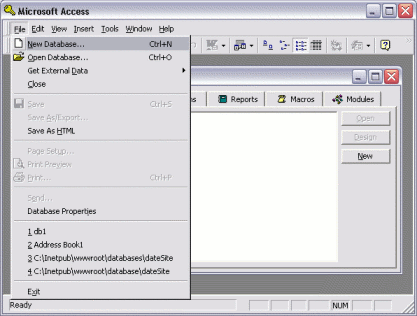
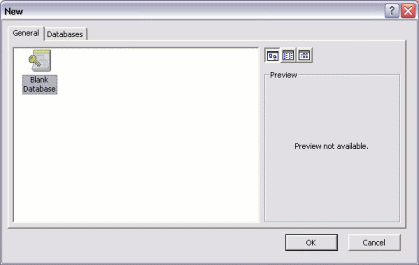
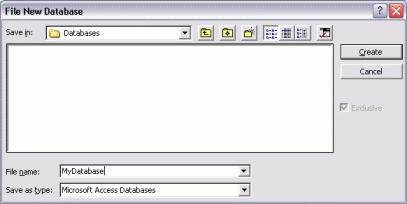
| Many database administrators (DBAs) use Structured Query Language (SQL) to perform many of their database tasks. To enter SQL, you need to open an interface that allows you to enter your code. For example, if you use SQL Server, you would normally use Query Analyzer. Most database systems make it very easy to create a database via a user interface. Generally, it's just a matter of selecting an option from a menu, then providing a name for your database. The following examples demonstrate how to create a database in Microsoft Access.
Your New DatabaseOnce you've completed the above tasks, you should see a blank database, like this: 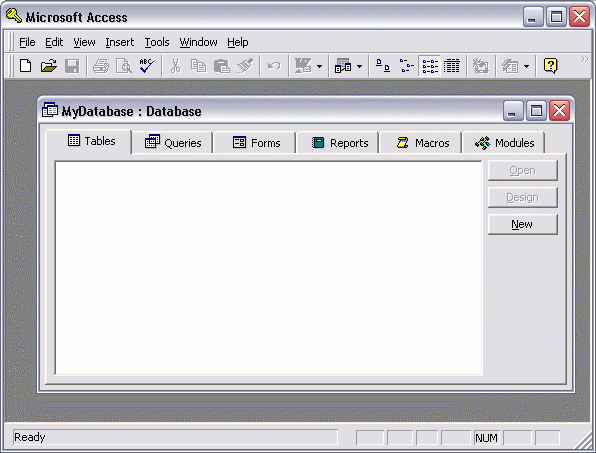 We know this database is blank because it doesn't have any tables. If it did, you would see these tables in the middle pane of the table tab. Now that we have our blank database, we can start adding some tables. |